Administrators
Who can use Salvo on this server. Each person signs in with their own name and a 2-step code (an authenticator app, such as Google Authenticator, Authy or 1Password), and everything they do goes to the Audit with their name.
● available cPanel and DirectAdmin.
The ? icon on the screen's top bar opens this page.
With nobody registered, Salvo works as before, without asking for a name or code. The sign-in with name and code turns on when the first administrator activates the 2-step verification (Get started does this in step 1).
On the screen
Administrators, in the menu.
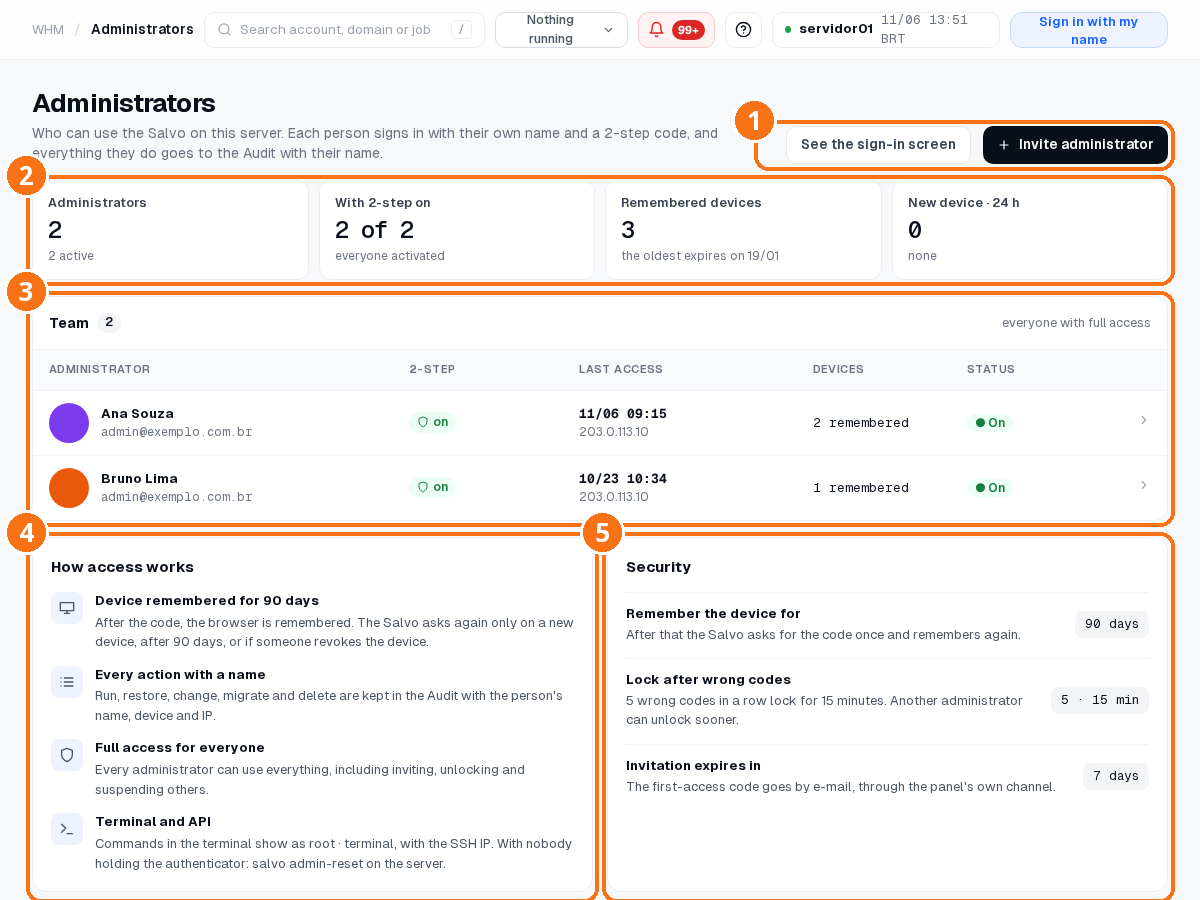
- See the sign-in screen and Invite administrator.
- The four numbers.
- The Team.
- How access works.
- Security: the terms (fixed).
- The four numbers: Administrators (active, pending invitations, locked), With 2-step on, Remembered devices (and when the oldest expires) and New device · 24 h.
- Team: each administrator with the e-mail, the 2-step (on or at first access), the Last access (with the IP), the remembered Devices and the Status: On, Pending invitation, Locked or Suspended. Clicking opens the profile.
- See the sign-in screen shows the screen that asks for the name and the code.
- A red notice shows when someone is locked by wrong codes, with Unlock.
Every administrator has full access, including inviting, unlocking and suspending the others. There are no roles.
Invite an administrator
- Invite administrator › Name and E-mail.
- Send the invitation by e-mail (on) sends the code through the panel's own channel (on cPanel, the Contact Manager; on DirectAdmin, the Message System sender). You can also copy the code and send it another way.
- Create invitation shows the invitation code, only this once, with Copy the code. It is valid for 7 days.
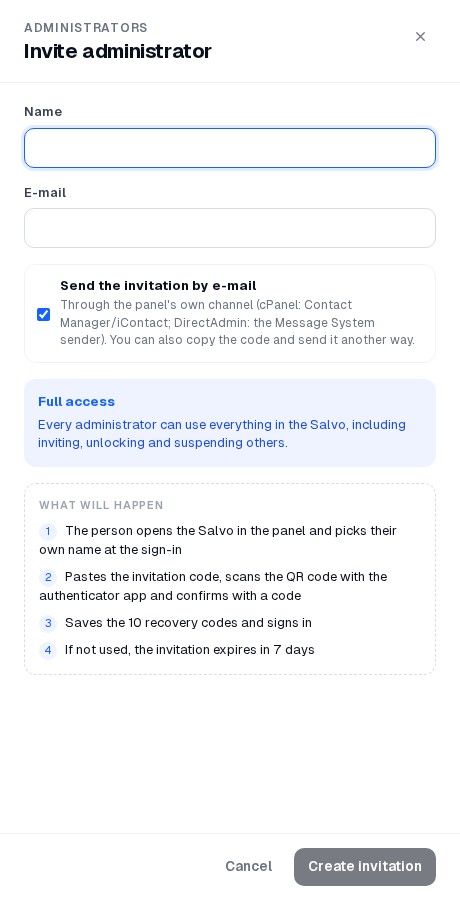
The invited person:
- signs in to the server's panel, opens Salvo Backup and picks their own name at the sign-in;
- pastes the invitation code, scans the QR code with the authenticator app and confirms with a code;
- saves the 10 recovery codes and signs in.
If the e-mail does not arrive in a few minutes (check spam), send the code another way.
An administrator's profile
Clicking the row opens the profile: administrator since, last access, the 2-step, how many recovery codes are left (of 10), the remembered devices (each with Revoke) and the latest actions, with the See everything in the Audit link. The buttons change with the status:
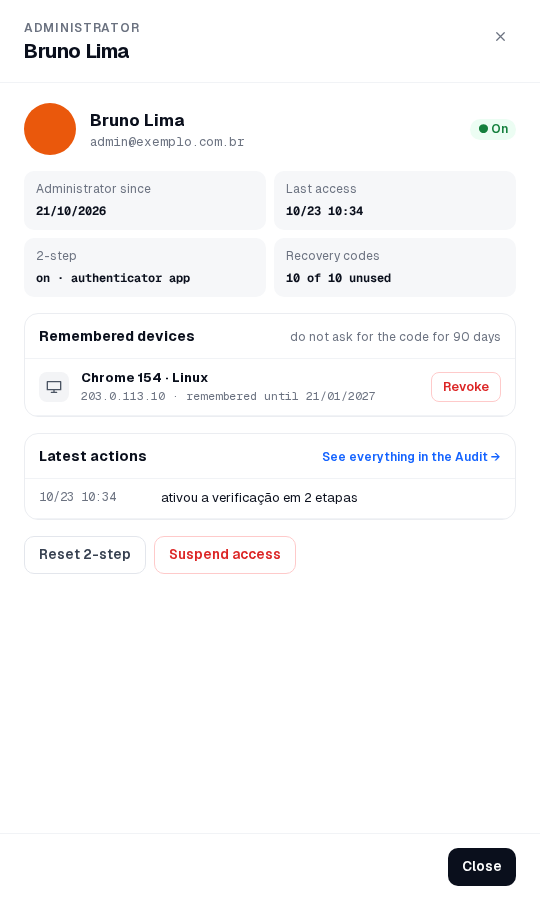
| Status | Buttons |
|---|---|
| On | Generate new recovery codes (only on your own profile; the old ones stop working), Reset 2-step (revokes the devices and issues a new invitation code), Suspend access (the history stays) |
| Pending invitation | Resend invitation (new code, 7 more days) and Delete invitation (only an invitation never used) |
| Locked | Unlock |
| Suspended | Reactivate (the person does the first access again, with a new code) |
The last active administrator cannot be suspended or have the 2-step reset on the screen: invite and activate another
one first, or use salvo admin-reset on the server.
How access works
- Code only at sign-in: the app code is asked at login; after that, the browser is remembered for 90 days. Salvo asks again only on a new device, after the 90 days or if someone revokes the device. No action asks for the code again while in use.
- Lock: 5 wrong codes in a row lock for 15 minutes; another administrator can unlock sooner.
- Every action with a name: run, restore, change, migrate and delete are kept in the Audit with the name, the device and the IP.
- Terminal: commands on the server show as root · terminal, with the SSH IP.
These terms are fixed: there is no setting for them.
On the command line
salvo admins                                   # the team: status, 2-step, codes, devices, last access
salvo admin-invite --name "Maria" --email maria@example.com --send   # shows the code (valid for 7 days)
salvo admin-unlock maria                       # NAME, E-MAIL or ID
salvo admin-suspend maria
# emergency: nobody has the authenticator app any more (works even for the last administrator)
salvo admin-reset maria                        # issues a new invitation code
Next: Maintenance.