Take over a job (step 6)
Phase B of Bring from JetBackup: Salvo becomes the owner of a job. The Salvo job's schedule turns on and the job is disabled in JetBackup through its API; it is not deleted, it stays there, disabled. One job at a time.
● available in 0.4.102 ● after the first backup: 0.4.110 Requires the job imported (step 4).
Two ways to take over
| Take over now | Take over after the first backup | |
|---|---|---|
| Needs | job imported, schedules on, every account with a good Salvo backup | job imported, schedules on (no backup needed now) |
| Salvo's job | runs on its schedule | runs on its schedule |
| JetBackup's job | turned off now | keeps running until every account has a good Salvo backup; then the schedule runner turns it off by itself, recorded in the Audit |
Use after the first backup when you do not want to run a backup by hand: JetBackup keeps protecting the server until Salvo has a good backup of every account.
Before taking over
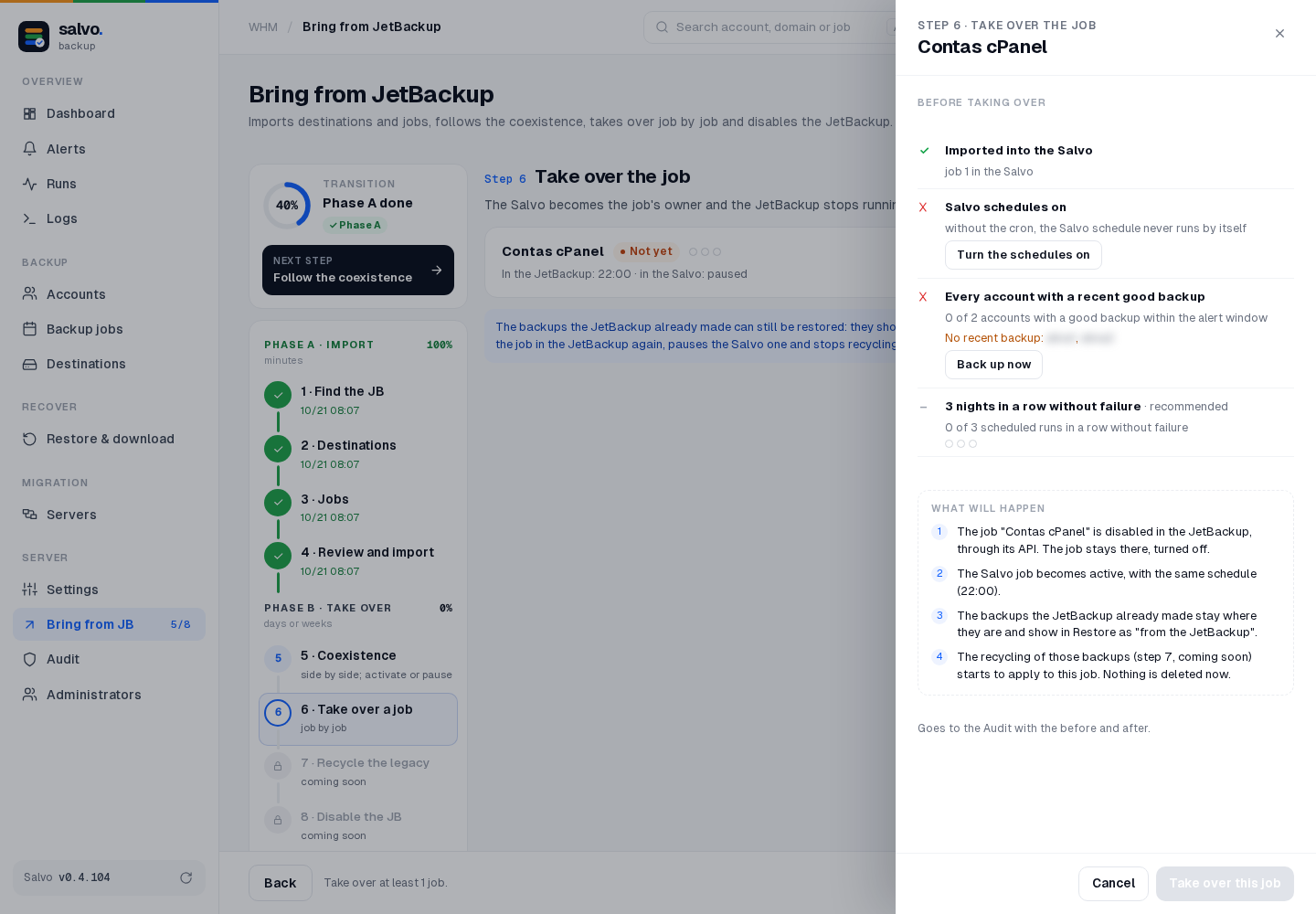
The screen checks these and keeps the button locked while something is missing:
| Check | How to solve it |
|---|---|
| The job was imported into Salvo | Import, step 4 |
| Salvo's schedules are on | Turn the schedules on in the drawer, or Schedules |
| Every account has a good Salvo backup within the alert window (26 h by default), only to take over now | Back up now in the drawer, or First backup; or take over after the first backup |
| 3 scheduled runs in a row without failure (recommended, not required) | gives the job the Ready to take over seal |
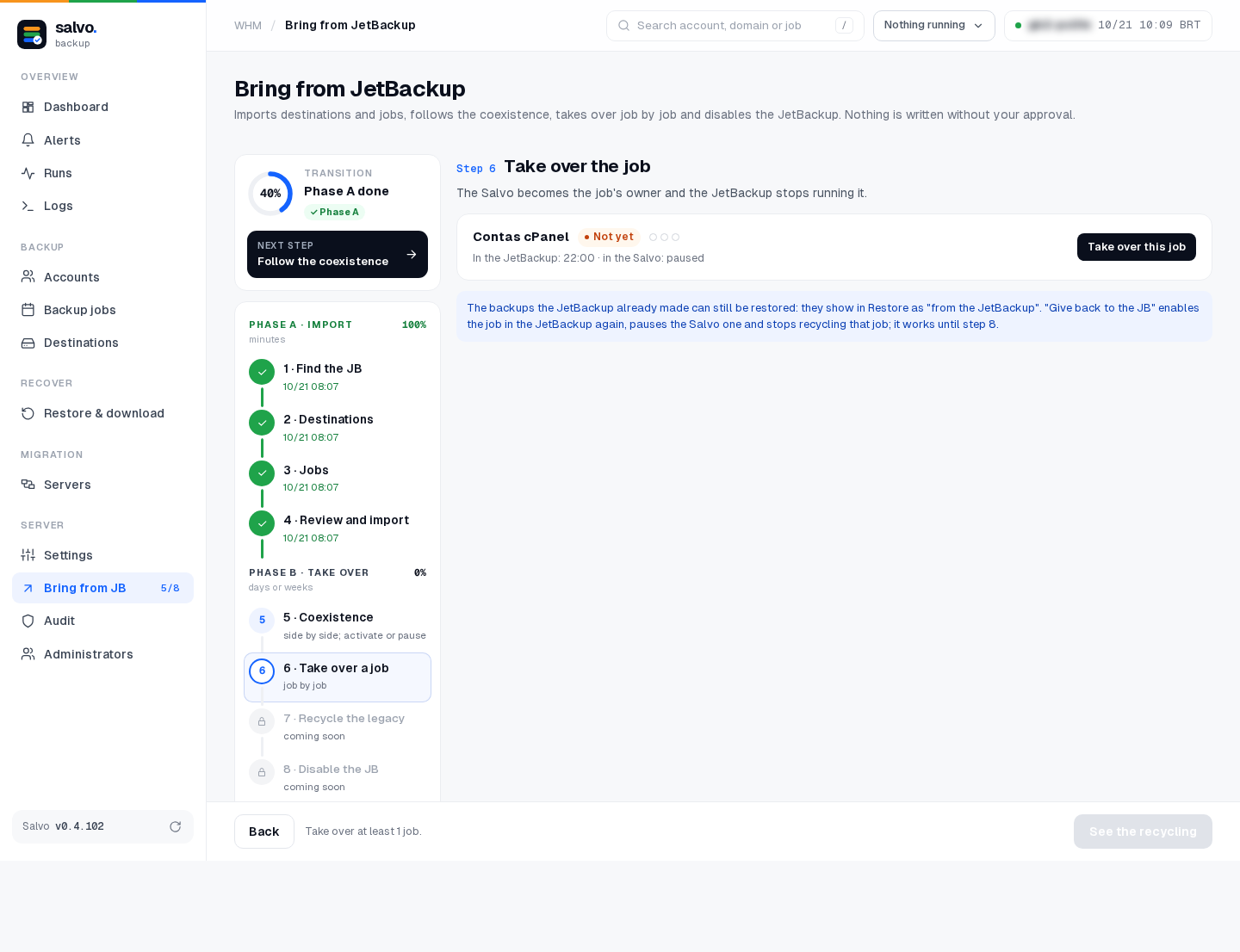
On the screen
Take over now: Bring from JetBackup › step 6 › Take over this job → the drawer shows Before taking over and What will happen → Take over this job → app code.
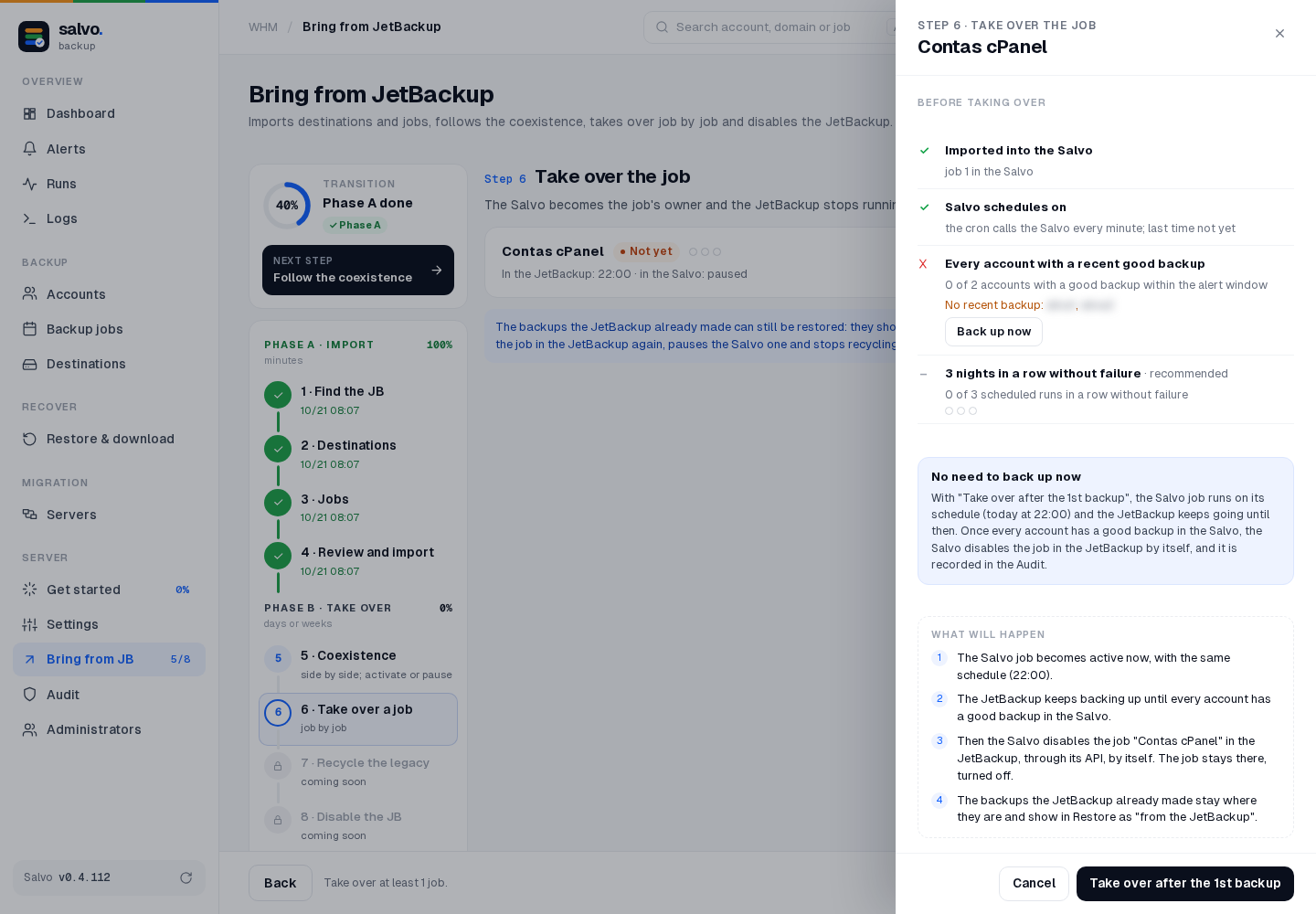
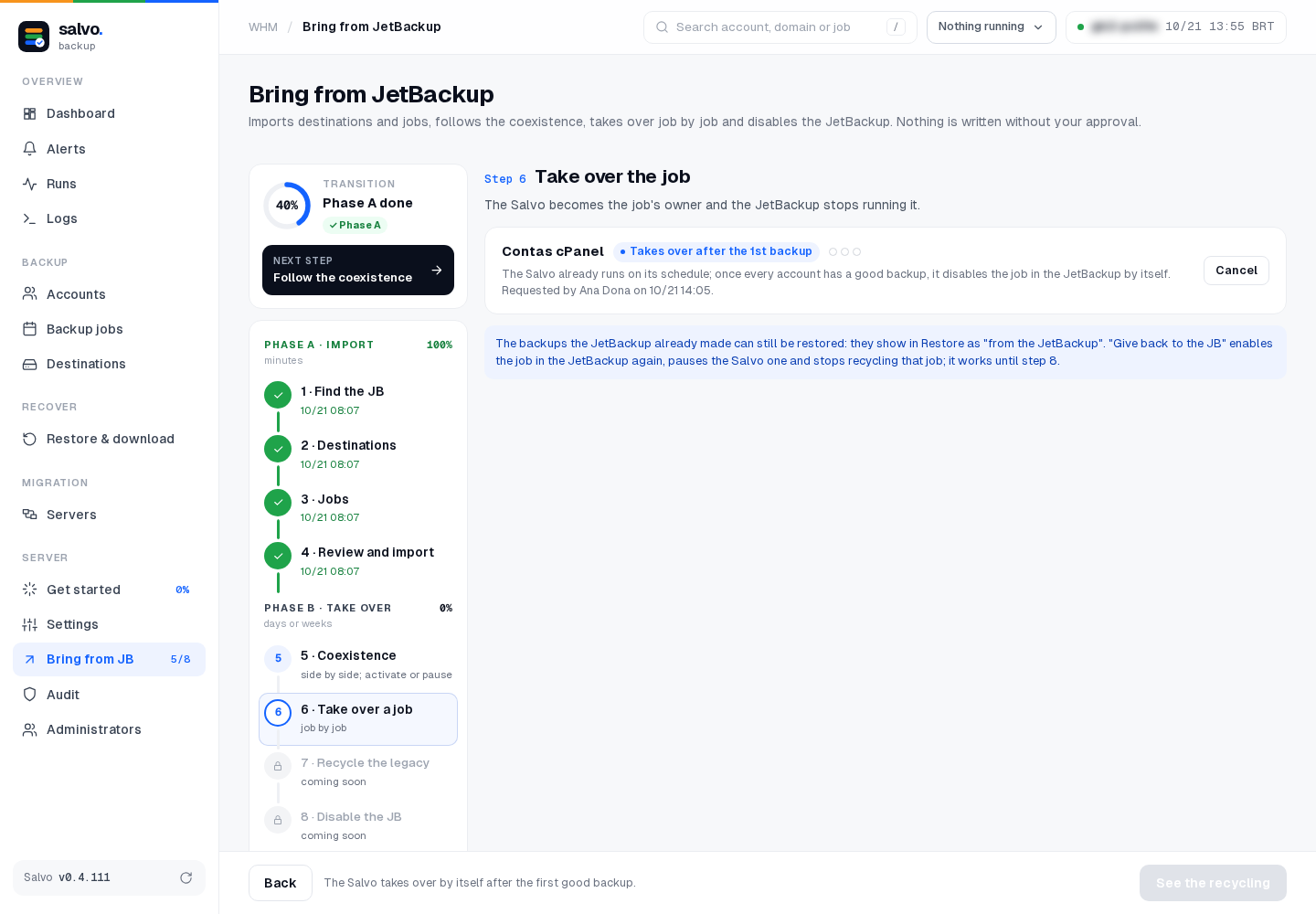
Take over after the first backup: when the accounts have no good Salvo backup yet, the drawer shows the blue block No need to back up now, and the main button becomes Take over after the 1st backup.
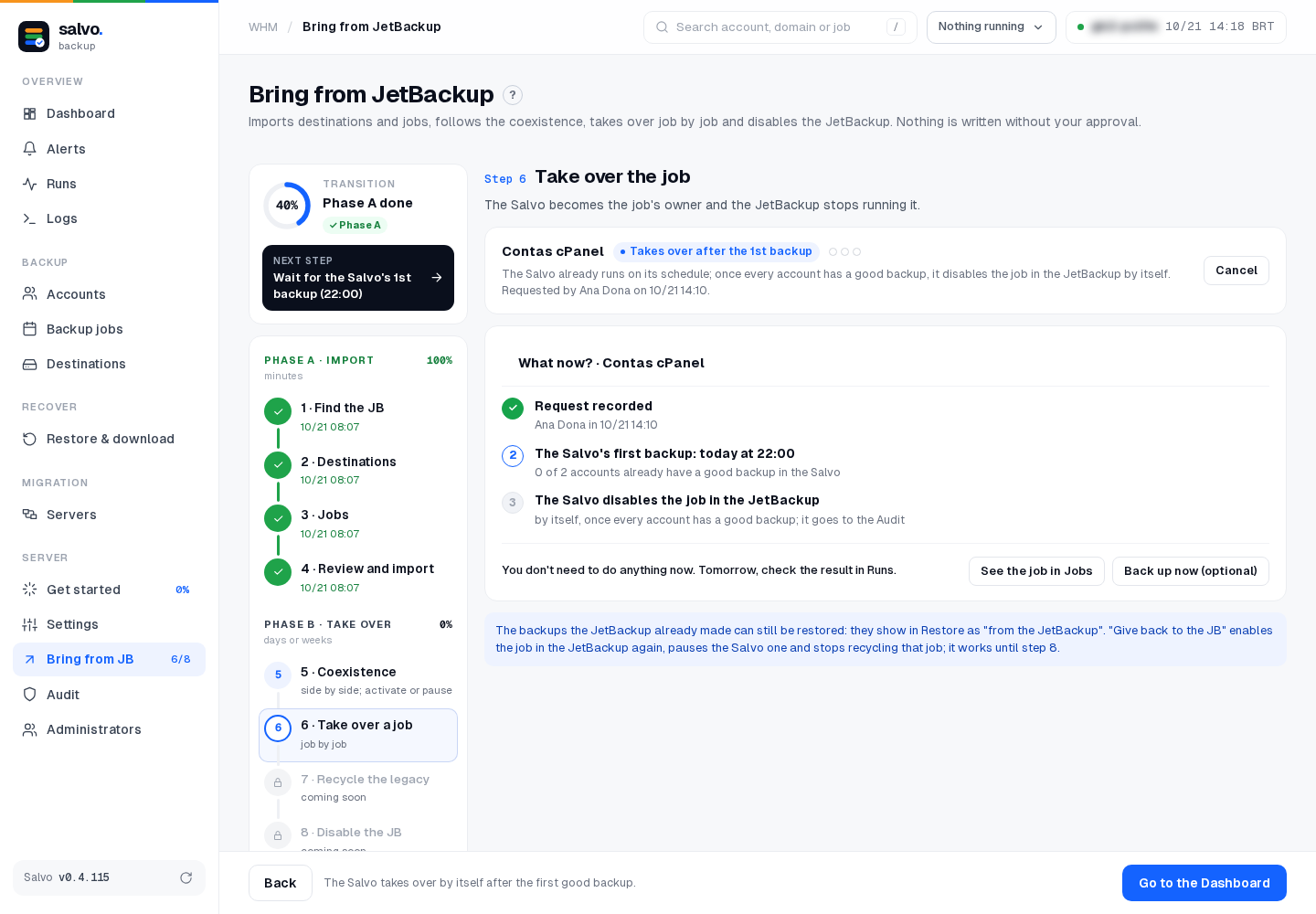
The job card then shows the seal Takes over after the 1st backup, who asked and when, and Cancel: it undoes only the request; the Salvo schedule stays as it is.
Right after the request, the step shows What now?: Request recorded; The Salvo's first backup: today at the job's time, with how many accounts already have a good backup; and The Salvo disables the job in the JetBackup by itself. You don't need to do anything now. Tomorrow, check the result in Runs. The buttons are See the job in Jobs and Back up now (optional); the footer has Go to the Dashboard.
On the command line
# JB_ID of the job
/var/lib/salvo/salvo jb-transition
# take over now
/var/lib/salvo/salvo jb-transition-takeover --job JB_ID
# or: take over after the first backup
/var/lib/salvo/salvo jb-transition-takeover --job JB_ID --after-first-backup
# cancel the request (the Salvo schedule stays)
/var/lib/salvo/salvo jb-transition-takeover --job JB_ID --cancel
Give back to JetBackup
Undoes step 6: enables the job in JetBackup again, pauses the Salvo schedule and stops the recycling of that job. It works until step 8.
- On the screen: Give back to JB on the job card.
- On the command line:
/var/lib/salvo/salvo jb-transition-giveback --job JB_ID
If JetBackup refuses to disable the job
- Salvo stays active, so both back up: the server is never left without backups.
- The job is not marked as taken over.
- The message says so. Just try again.
JetBackup's old backups
- They can still be restored: they show in the account as from JetBackup.
- Recycling them (step 7) applies only to jobs that were taken over. Taking over deletes nothing.