Accounts
The Accounts screen shows, for every account on the server, whether it is protected: how old its last good backup is, what each part of the account has, and what needs attention first. Clicking an account opens its drawer, with its restore points, its runs and what it contains.
● available in 0.4.219 cPanel and DirectAdmin.
On the screen
The top
-
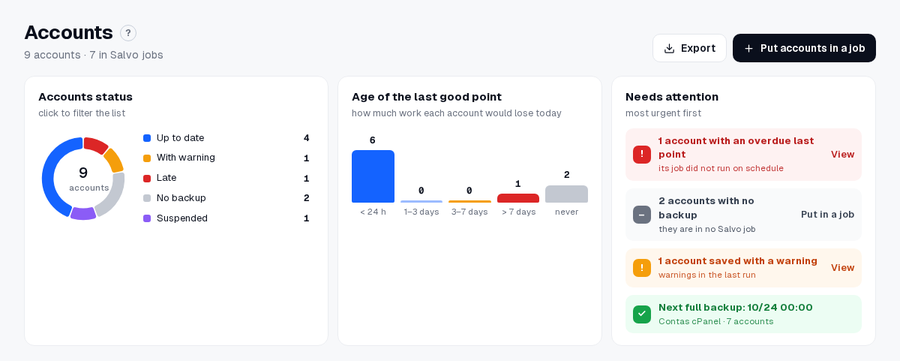
Accounts status: the accounts by situation. Clicking a slice filters the list.
Situation When Up to date the last good backup is within the limit With warning the last backup was saved with a warning Late the last good backup is older than Settings › Alerts › Account without a new backup after (26 h by default) No backup the account has no backup, usually because it is in no Salvo job Suspended the account is suspended in the panel -
Age of the last good point: how much work each account would lose today (< 24 h, 1–3 days, 3–7 days, > 7 days, never).
-
Needs attention, most urgent first, each with its button: the late accounts (View), the accounts in no job (Put in a job), the ones saved with a warning (View) and the next full backup.
The list
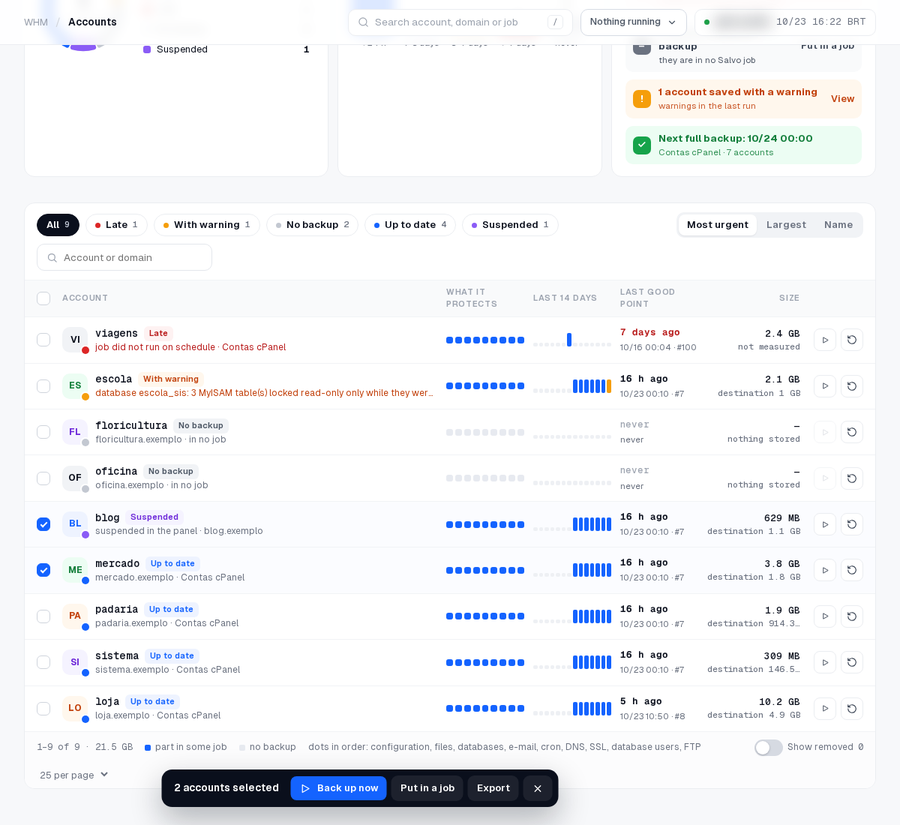
- Chips by situation (All, Late, With warning, No backup, Up to date, Suspended), the order (Most urgent, Largest, Name) and the search by account or domain.
- Each line: the account with its situation and the reason, What it protects (nine dots, in order: configuration, files, databases, e-mail, cron, DNS, SSL, database users, FTP), the Last 14 days, the Last good point with its run, and the Size in the account and on the destination (not measured or nothing stored when there is nothing to show).
- At the end of each line: Back up now (the account's job) and Restore, which opens the account's backups (Restore a database).
- Check accounts to get the bar at the bottom: Back up now, Put in a job and Export (CSV).
- Show removed also lists the accounts that left the server.
The account's drawer
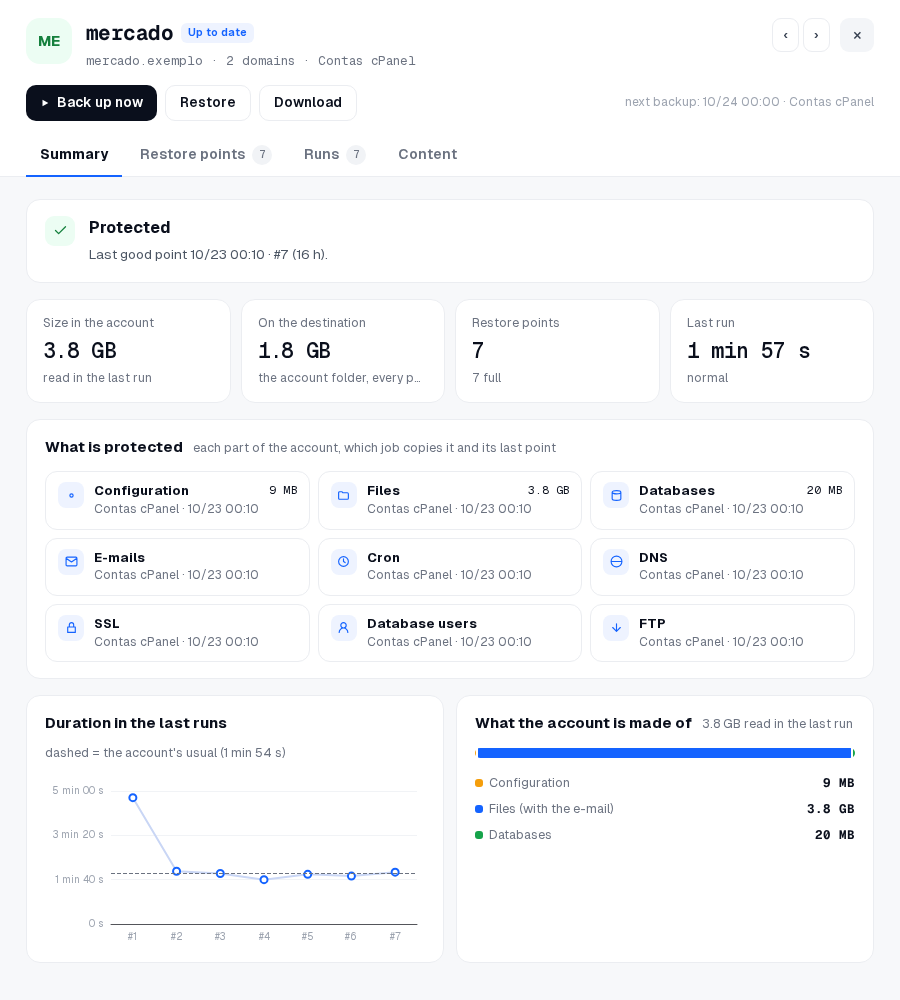
Clicking an account opens its drawer. At the top: Back up now, Restore, Download, the next backup, and ‹ › to the previous and next account. Four tabs:
| Tab | What it shows |
|---|---|
| Summary | whether it is protected and since when; size in the account, on the destination, restore points and last run; What is protected (each part, which job copies it and its last point); Duration in the last runs; What the account is made of |
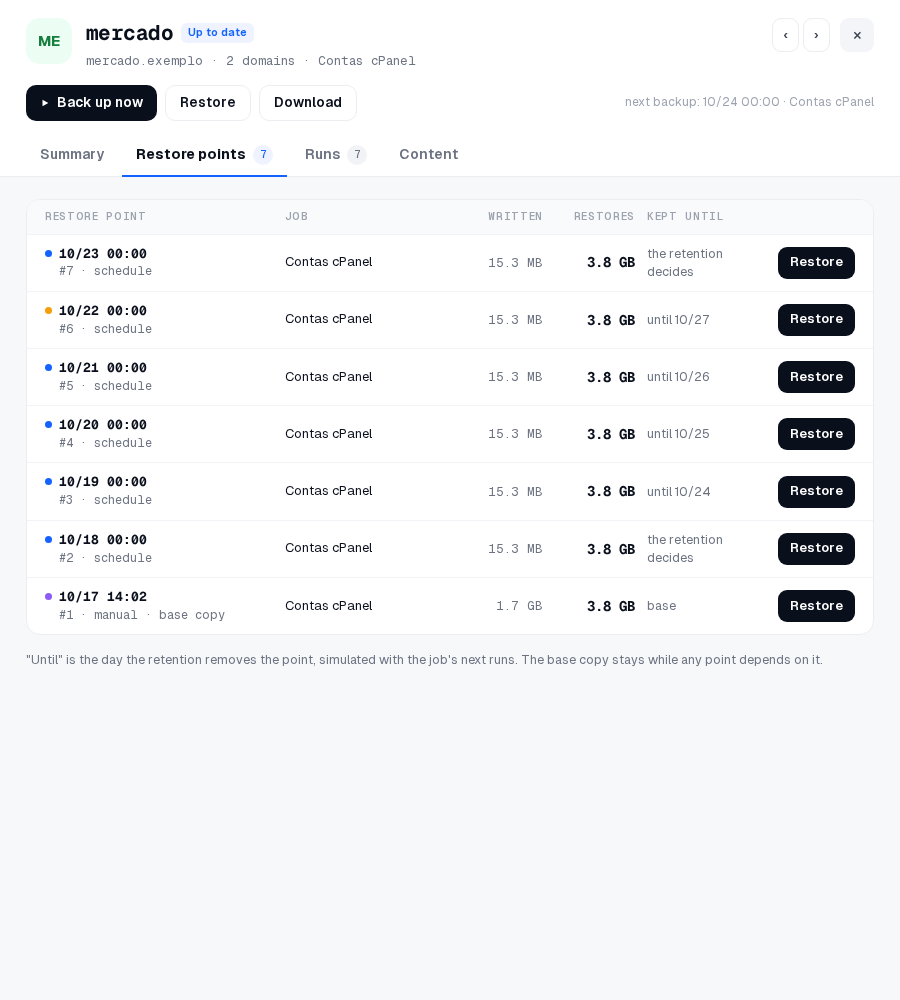
| Restore points | each point with its job, what was written, the size to restore and Kept until, with Restore |
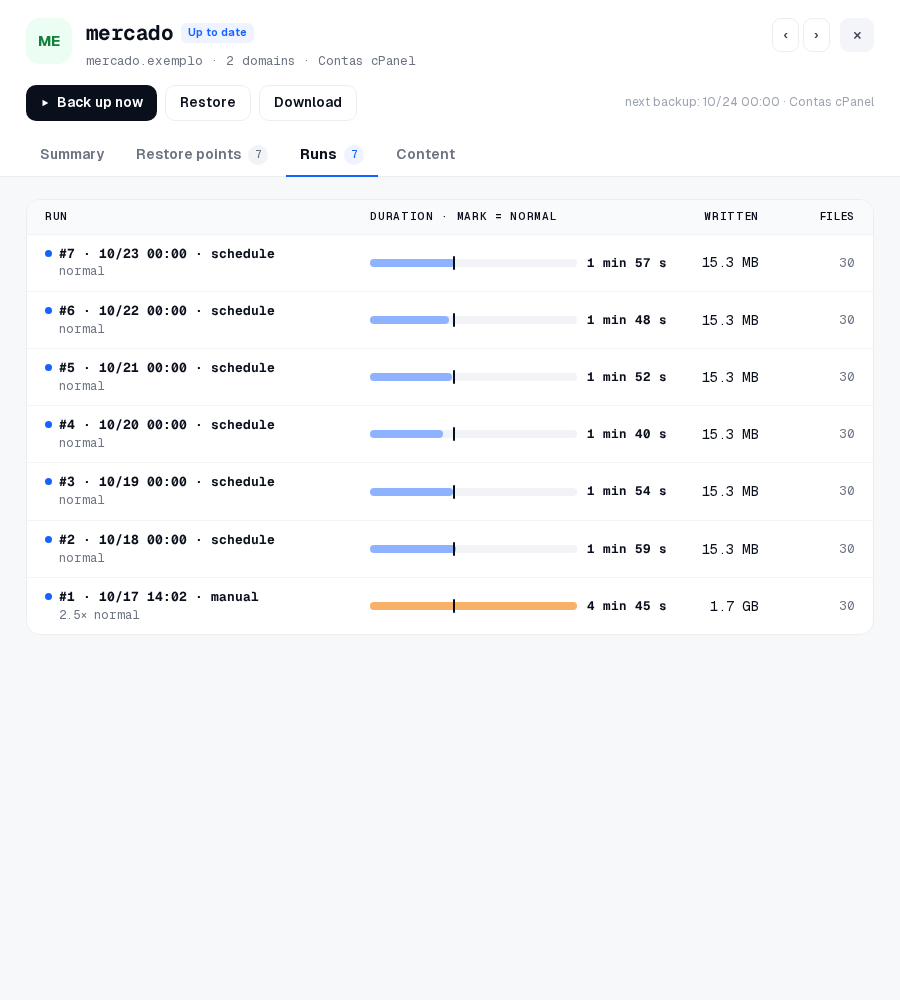
| Runs | the runs of the account, with the duration against the account's normal, what was written and the files |
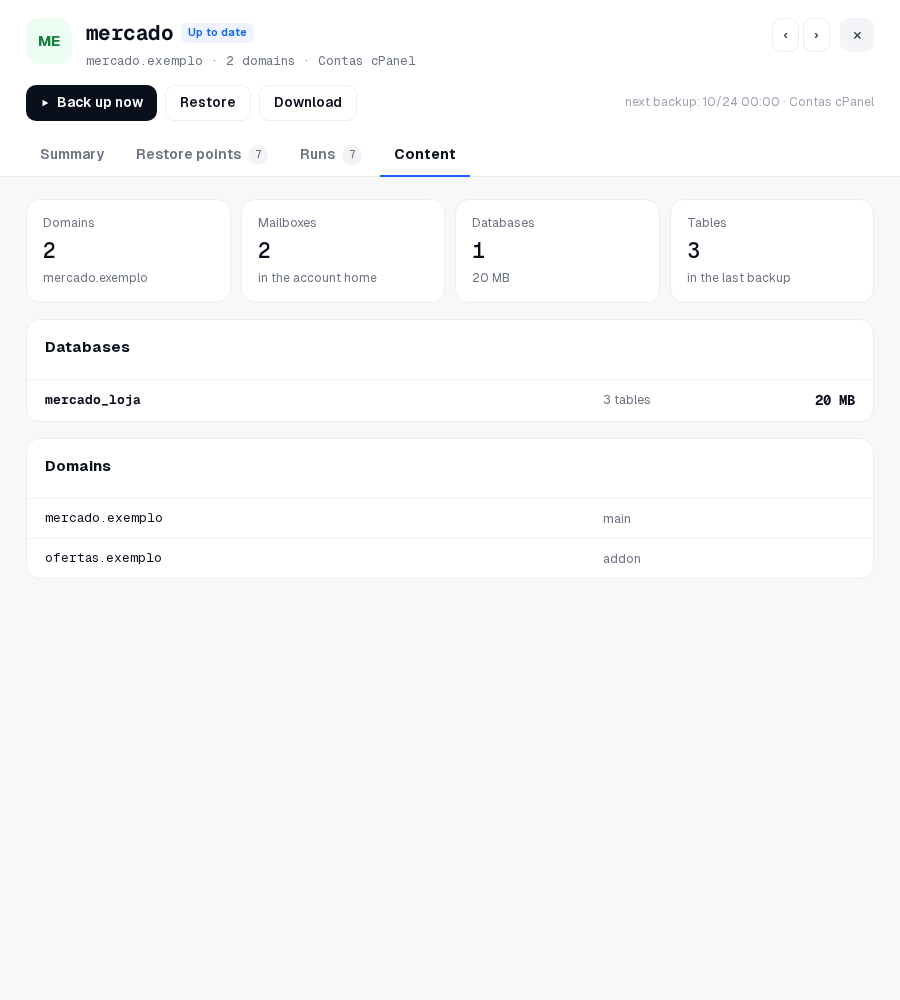
| Content | domains, mailboxes, databases (with their tables) and the list of domains |
Kept until is a simulation: the job's retention rule applied to its next runs. The retention decides means the point stays until the rule removes it; base is the base copy, which stays while any point depends on it.
Not shown, because Salvo does not read it yet: the account's plan, the SSL expiry of each domain, the size of the e-mail apart from the home (it is copied with the files), the engine of each table (it is in the run's warnings) and a link to open the account in the panel. Databases covered by a separate databases-only job do not count for the account yet.
From the Dashboard
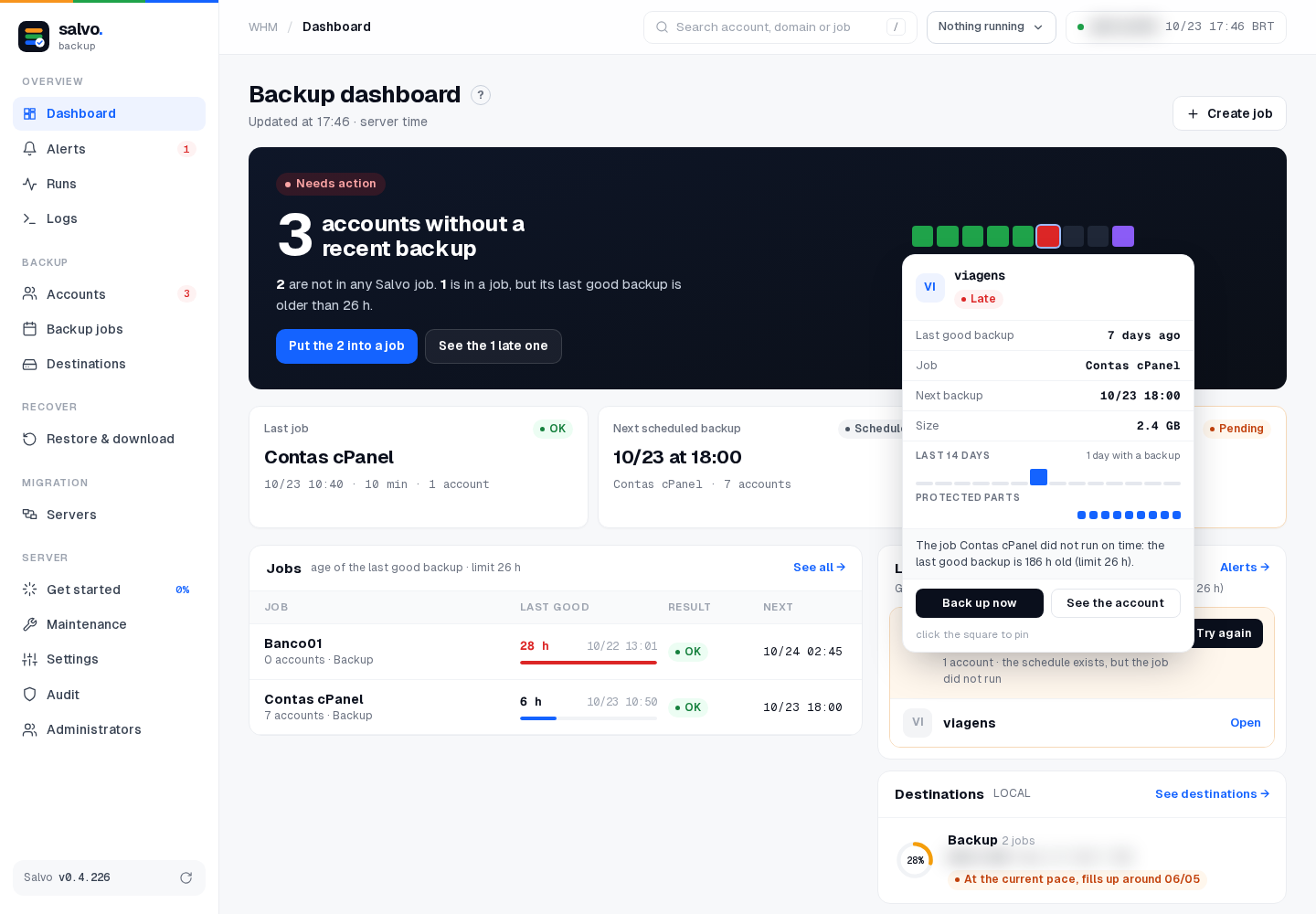
On the Dashboard, each square is an account (purple = suspended). Hovering a square opens its details: last good backup, job, next backup, size, the last 14 days, the protected parts and the reason, with Back up now (or Put in a job, when the account is in no job) and See the account, which opens its drawer here. Clicking the square pins the details. ● 0.4.223
On the command line
# the same blocks as the drawer, as text (or the API JSON with --json)
/var/lib/salvo/salvo account-show --account USER [--json]
An account that is suspended in the panel is still backed up by default. To skip suspended accounts, see Suspended accounts.
Next: Schedules.